Map and Data
Map and data: Overview
Once a map is created, it is possible navigate to the Map and Data page. This page is dynamic, responding to selections made in the map and in other tables. Information like tasks, sessions, alarms, histogram, bandwidth graphs are displayed filtered by selections on the map canvas. If no elements on the canvas are selected, the entire contents of the map are used as the filter. Information on the Tasks and Sessions tables, as well as the Transfer Histogram are related to the selection.
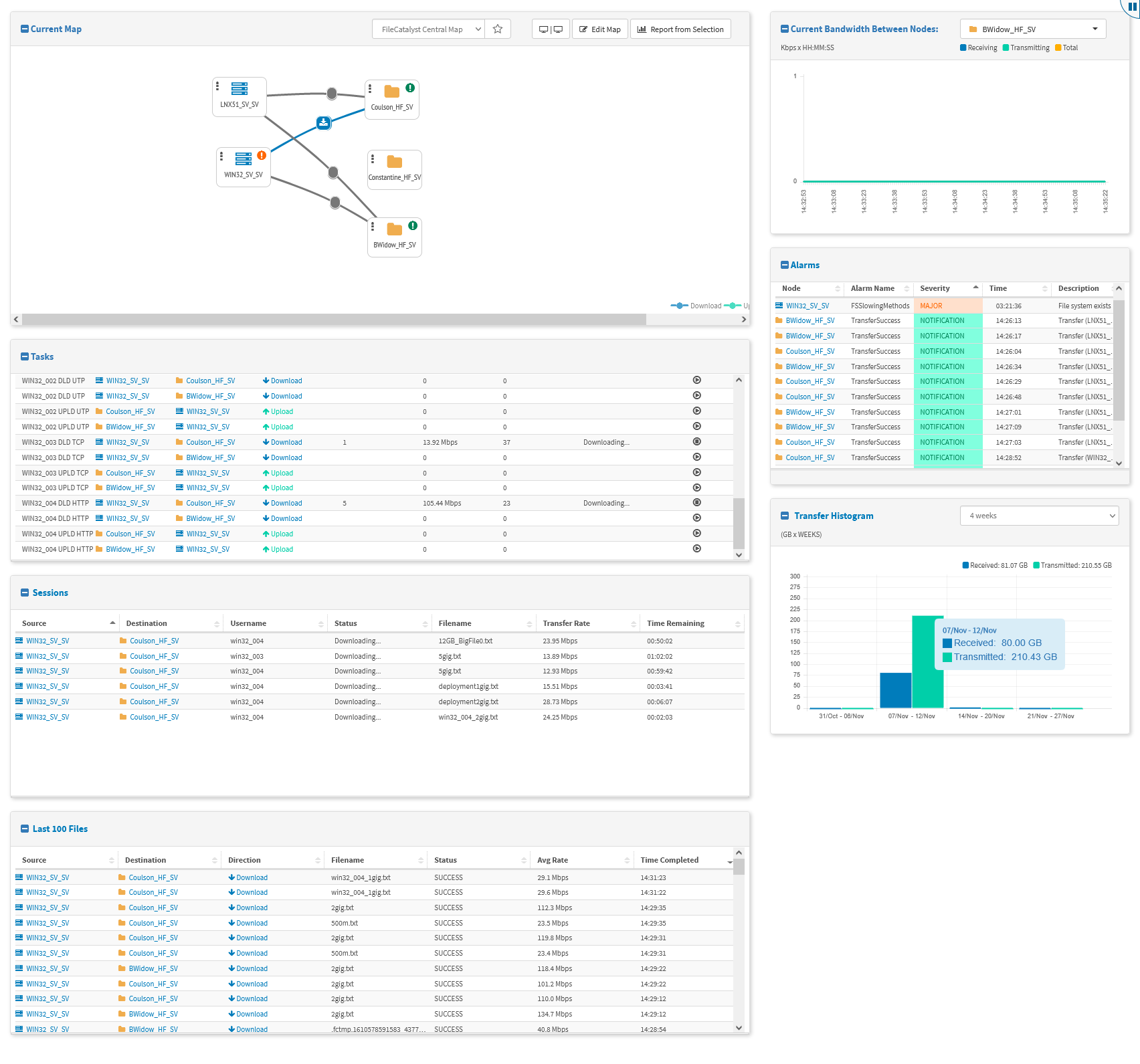
On this page, a number of UI (user interface) conventions are followed:
-
All panels may be collapsed with the icon to the left of the title.
-
A select box above the canvas provides the possibility to switch the map in the event that two or more maps have been created. The default map (if defined) is marked with a star filled with blue ().
-
The double-screen icon ( | ) creates a second view of the filtered data (see Map and Data: Split Screen for more details).
-
The Edit Map button appears for admin users, allowing you to switch to the Edit Map view.
-
The Report from Selection button sends the user to the report page, with the report pre-filtered based on the map selection.
-
If a FileCatalyst HotFolder contains Sites connecting to a FileCatalyst Server present in the current map, a line is drawn to represent the link (see Map and Data: Links).
-
The bandwidth usage graph is identical to that in the Classic View, but with the selection box limited to nodes appearing in the current map.
-
The Alarms table shows a summary of the current alarms based on selection.
-
The Transfer Histogram presents data transfer information about the canvas selection. It contains a select box with predefine timeframes to show the related data.
-
The Tasks shows the aggregated tasks from all HotFolders in the map selection. If the user has full administrator privileges, an execute/cancel icon becomes available.
-
The Sessions table shows aggregated session information from the current map selection. If an individual task is selected, sessions are filtered by that task.